PC Dispatcher
The command center for your iPTT communications.
Control, monitor, and respond in real time with unmatched reliability.
What PC Dispatcher Actually Does
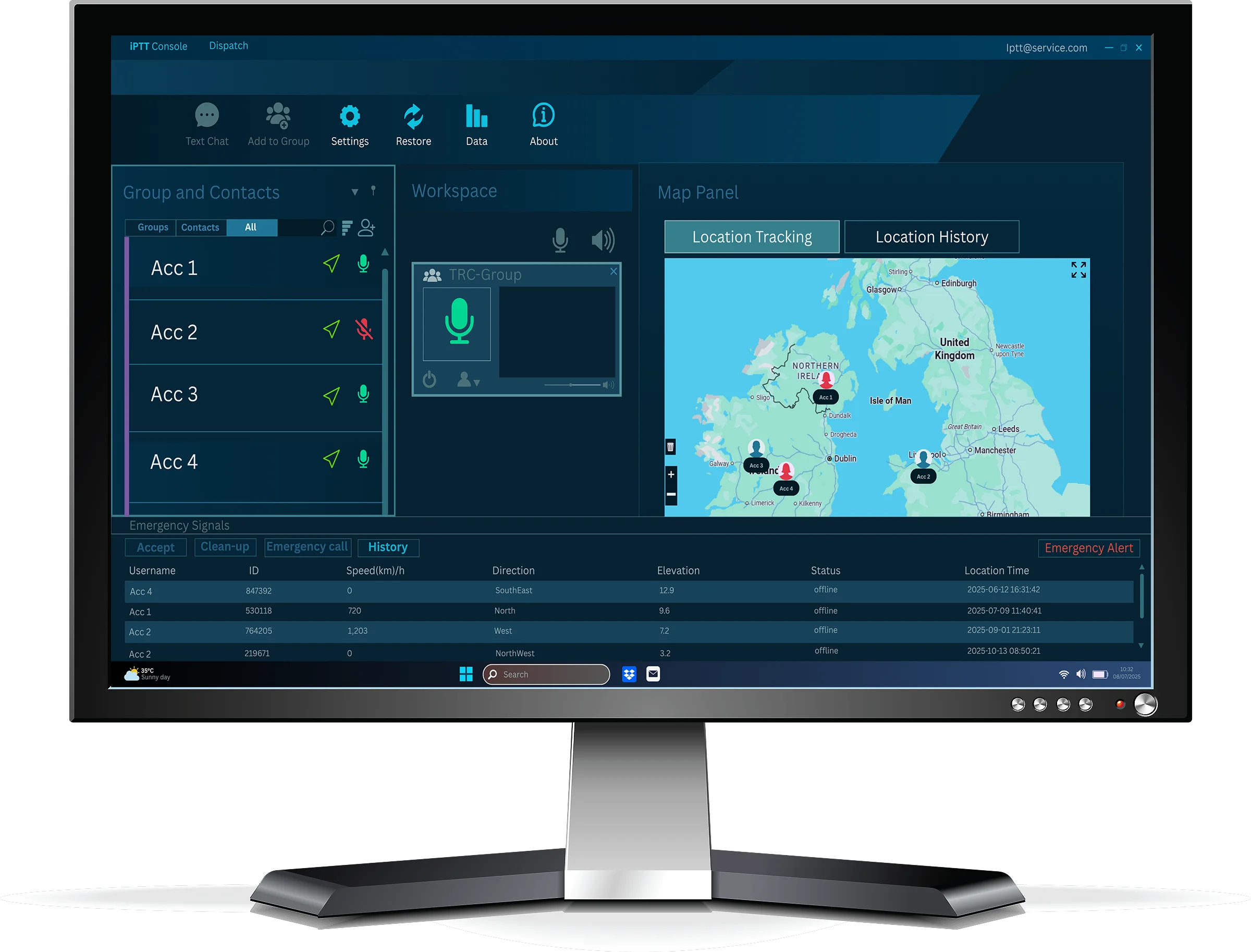
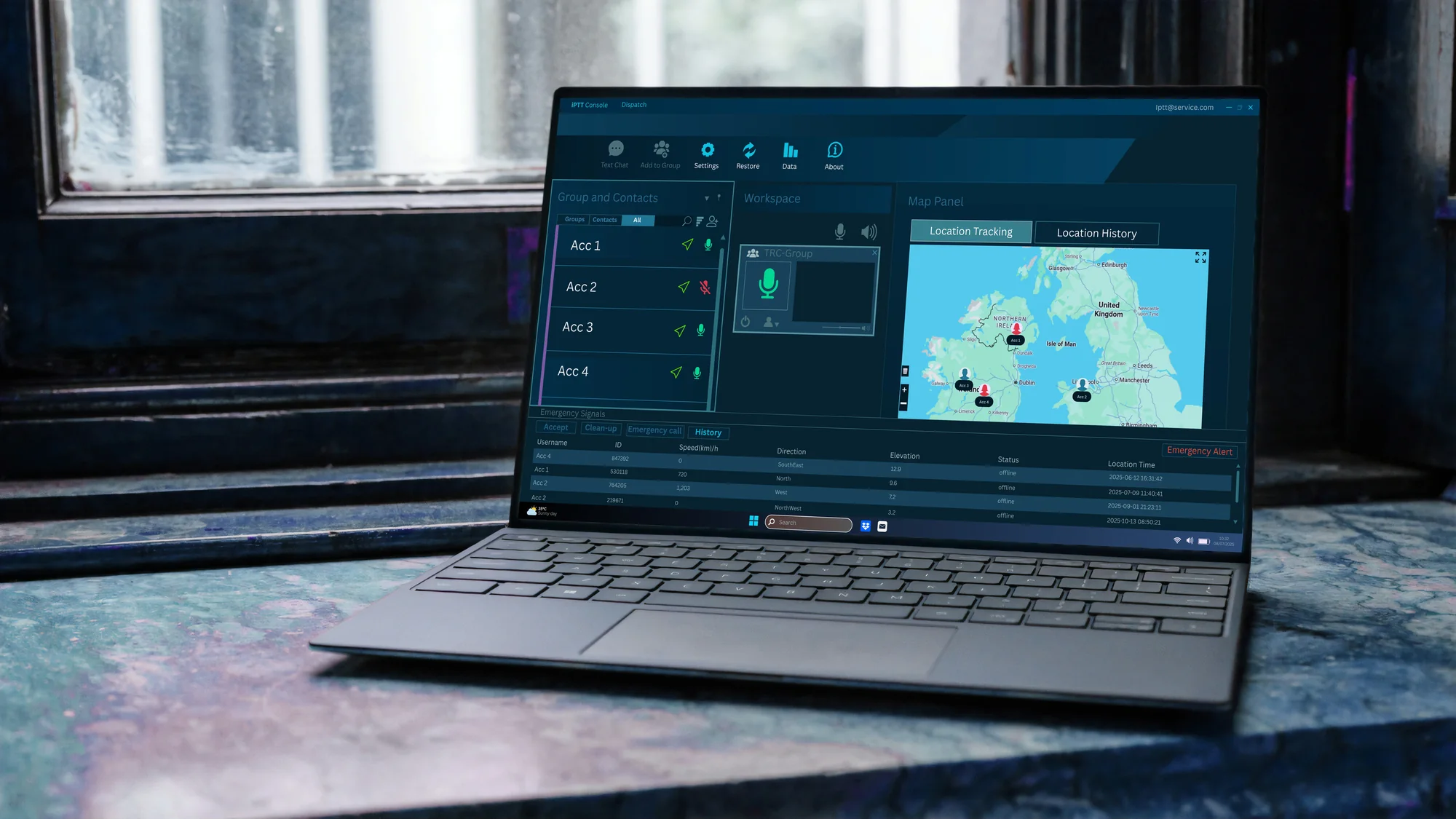
PC Dispatcher is the iPTT browser-based control room. It gives operators a single live view of every iPTT device, channel, and conversation in your estate, with built-in voice, mapping, recording, and emergency response, no separate consoles, no plug-ins, no field installs.
It replaces traditional fixed dispatch hardware with a modern web application that scales from a single operator at a depot through to multi-position control rooms across multiple sites. The same console handles handhelds, vehicle units, and smartphone app users.
Built for control rooms, security operations, fleet coordination, lone-worker programmes, and event management, PC Dispatcher is the day-to-day workspace for the people running mission-critical communications on iPTT.
Browser-based
No install, no plugins, no field engineer visit. Open Chrome or Edge, log in, and you're in the control room.
Built-in PTT voice
Half-duplex PTT with wideband audio, private and group calls, no separate softphone needed.
Live operations view
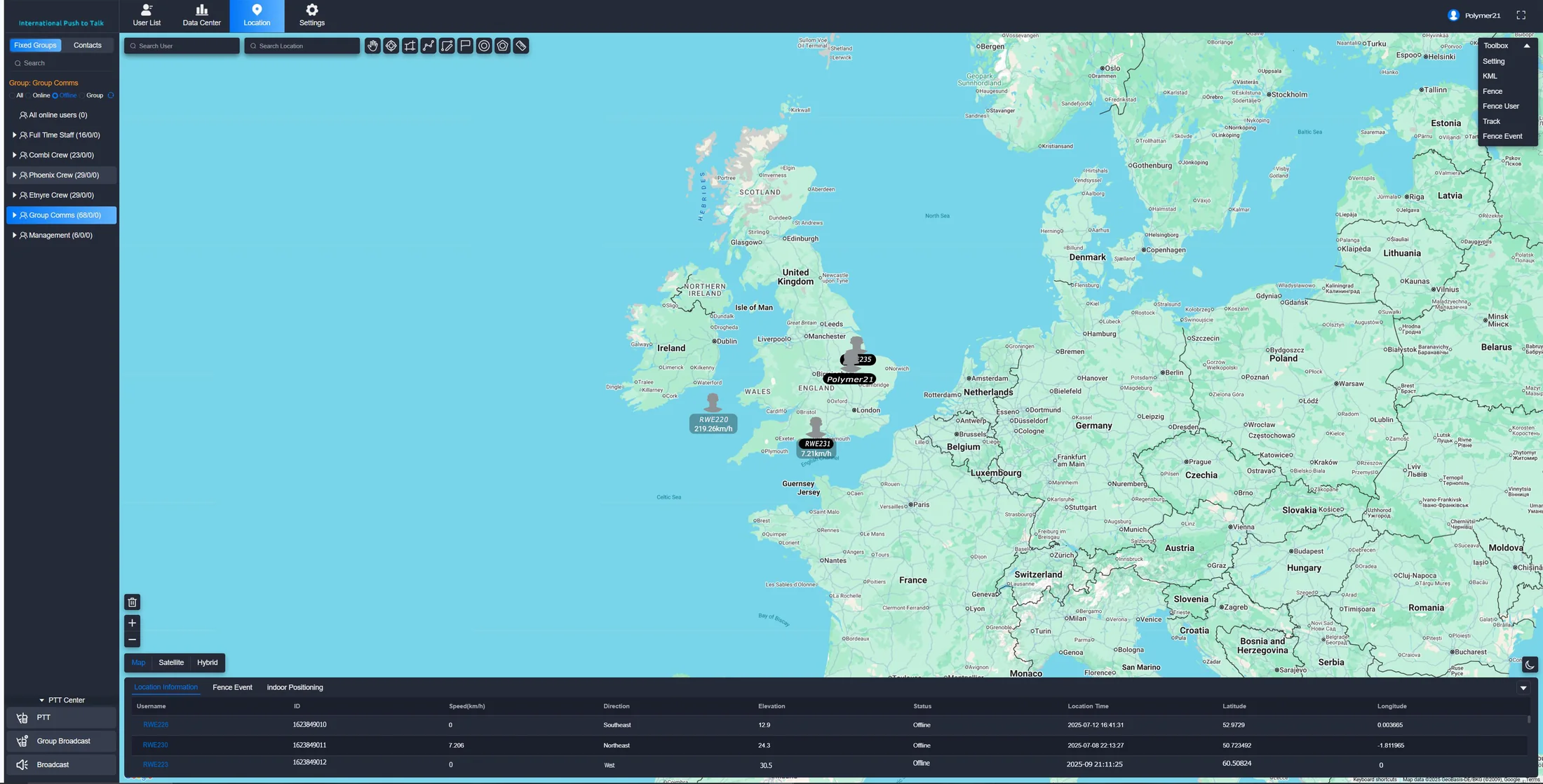
Map, channels, devices, battery, signal, and active calls on a single pane of glass.
14-day audio archive
Every call recorded and retained for incident review and SLA evidence.
Group & User Management
See all groups, control membership, and manage user permissions instantly.
Private & Group Calls
Open private chats or broadcast to groups. Message and communicate with any device.
Accountability & Audio Records
All audio is recorded for 2 weeks. Review messages and calls for crisis response and process improvement.
SOS & Emergency Response
SOS button opens a live line, sends location, and notifies all relevant users/groups instantly.
Live Location & Geofencing
Track every device, see GPS pings, and get notified if a device leaves a fenced area.
Device Status
Monitor online/offline status and battery levels of all devices in real time.
Vehicle & Mobile Integration
Devices can be used in vehicles for mobile operations and rapid response.
Unmatched Reliability
The dispatcher never goes down. iPTT is trusted for mission-critical reliability.
PC Dispatcher
How teams use PC Dispatcher
Operational scenarios where the dispatcher becomes the nerve centre of the day
Control rooms & 24/7 ops
Monitor every device, group, and active call from a single command position. Operators can drop into any conversation, broadcast to all groups, and review call recordings instantly during incident reviews.
Lone-worker safety
Geofence active sites, watch live battery and signal, and respond to SOS alerts the moment they fire. Location pings keep visibility on staff working alone or in remote zones.
Fleet coordination & dispatch
Track vehicles on a live map, push jobs to drivers via group calls, and switch between depots without changing channels. Historical trails support route audits and customer SLAs.
Event security & crowd control
Spin up temporary groups for an event, brief teams via broadcast, and recall the day's audio for incident reports. Geofences trigger automatic alerts when staff enter restricted zones.
Specifications & Requirements
What you need to run PC Dispatcher in your control room
Browser & OS
- ▸Chrome, Edge, Firefox (latest)
- ▸Windows 10/11, macOS 12+
- ▸No install, no plugins
Recommended hardware
- ▸4-core CPU, 8 GB RAM
- ▸1080p display (multi-monitor supported)
- ▸Stable broadband, 10 Mbps+
Audio & calls
- ▸Half-duplex PTT voice
- ▸Private + group calls
- ▸Wideband codec (AMR-WB)
Recording & retention
- ▸All audio recorded 14 days
- ▸Exportable for incident reports
- ▸Tamper-evident timestamps
Mapping & GPS
- ▸Live device positions
- ▸Geofences with alerts
- ▸Historical trails (30 days)
User & group control
- ▸Unlimited groups
- ▸Role-based permissions
- ▸Bulk import / OAuth SSO (optional)
Network & coverage
- ▸Works on any 4G/5G/Wi-Fi
- ▸Multi-network SIM compatible
- ▸Failover-aware sessions
Security & compliance
- ▸TLS 1.3 in transit
- ▸UK data residency available
- ▸ISO 27001-aligned operations
vs. traditional dispatch
Where the iPTT control centre outpaces a hardware console or PMR base station
The operator workflow, end-to-end
What a control-room shift actually looks like, from sign-in to post-incident reporting
Sign in & take position
Operator logs into the browser console, picks up their console identity, and the live map populates with every active device.
Monitor the estate
Active channels, device status, GPS pings, and call queues are visible at a glance. Filters narrow by group, vehicle, site, or role.
Respond in real time
Drop into any conversation, broadcast to a group, place a private call, or send a message, all without leaving the dispatcher screen.
Handle incidents
An SOS opens a live line and pins the device on the map. Operators capture context, dispatch the nearest team, and log the response.
Review & report
end of shiftAudio recordings, location trails, and event logs export for incident reports, customer SLAs, and management review.
Integrations & device support
Connects to the systems and devices already running your operation
REST API
Push and pull groups, users, devices, and call metadata for integration with CRM, ERP, or scheduling tools.
SSO / OAuth (optional)
Federate operator identities with Microsoft Entra ID, Google Workspace, or Okta on enterprise plans.
Works with every iPTT device
P400, P500, P600, M400, and the iPTT mobile app all surface in the same dispatcher view.
Exportable reports
CSV exports of usage, calls, GPS trails, and recordings for compliance and customer reporting.
Licensing at a glance
Three tiers, sized from a single dispatch desk through to a fully integrated control room
Operator
Per console
One licensed operator position, suitable for small ops or a single dispatch desk.
- Live map & device view
- Voice + messaging
- 14-day audio retention
- Email support
Control Room
Multi-operator
Multiple concurrent operators sharing the same fleet, sites, and groups, with role-based permissions.
- Everything in Operator
- Role-based permissions
- Multi-monitor layouts
- Priority UK support
Enterprise
Custom
Larger estates with SSO, API integration, and bespoke retention or data-residency requirements.
- Everything in Control Room
- SSO / OAuth integration
- Custom retention windows
- Dedicated account manager
- 24/7 UK on-call support
All tiers include UK-based support, ongoing platform updates, and access to the iPTT mobile app.
PC Dispatcher questions, answered
The things teams ask before rolling the dispatcher out across a control room
Ready for the Dispatcher Advantage?
Coordinate teams in real time with iPTT PC Dispatcher. Live location, SOS response, and complete control from a reliable command center.